MM-DataLogger
Capture | Store | Analyse
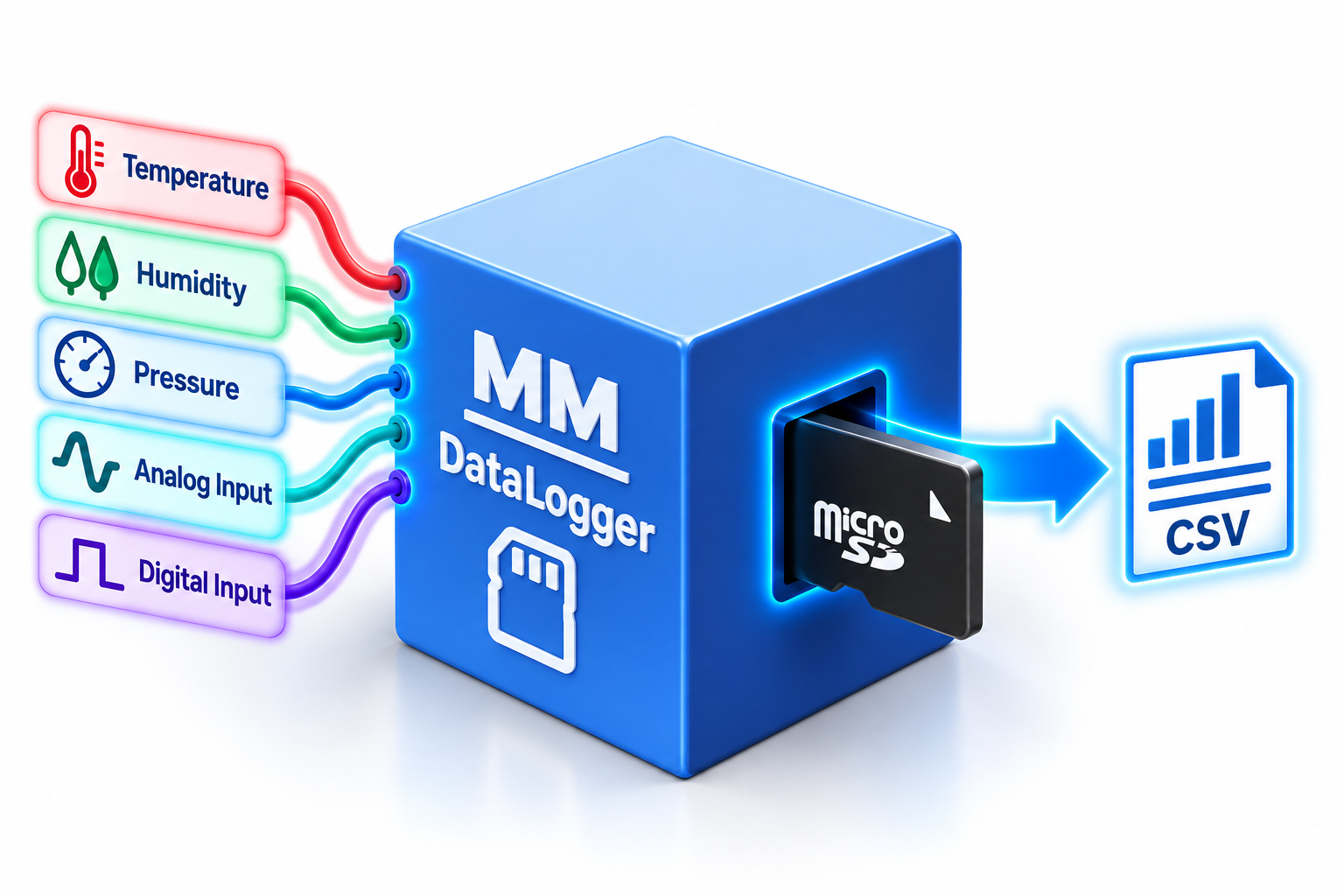
The MM-DataLogger makes it easy to capture and store information from your MM-Series modules, creating a permanent record of measurements and events for monitoring, analysis or your next project.
Connect the MM-DataLogger to other ModularMicros and automatically record information such as temperature, pressure, analog and digital values directly to a MicroSD card.
Data is stored in standard CSV format, making it easy to remove the MicroSD card and open your data directly in Microsoft Excel or your favourite spreadsheet application.
Want to record all four temperature channels from an MM-Temperature every 30 seconds? Set the logging interval, choose what you want to record and let the MM-DataLogger do the rest.
Explore MM-DataLogger
You can also record the ambient temperature and relative humidity reported by your MM-Temperature module, alongside its four thermocouple channels.
Because every MM-Series module speaks the same language, the MM-DataLogger is designed to work seamlessly with other MM-Series modules, capturing their measurements and storing them directly to MicroSD.
And you're not limited to just one module. Bring measurements from multiple MM-Series modules together to create a single data-logging solution for your project.
Start with something simple, such as recording room temperature throughout the day, then experiment with multiple sensors, different logging intervals and automated monitoring.
Look for the little blue light...
See the little blue light flashing? That's your ModularMicro doing stuff!
Reading a value, checking a sensor, logging some data or talking to another MM-Series module - the little blue activity light lets you know your ModularMicro is busy working away.
It's a simple, fun way to see that something is happening - even when all the clever stuff is going on behind the scenes.
See the blue light? Your ModularMicro is busy!
Start simple. Go further.
You don't need to write a program to start collecting data. Set up your MM-DataLogger, tell it what you want to record and let it get to work.
As you learn more, experiment with different measurements, multiple MM-Series modules, logging intervals and your own commands to build increasingly sophisticated data-logging projects.
Your data | Your project | Your MicroSD card